This is probably the deepest engineering post I’ve written in a while, and I wanted to write it down for three reasons.
- I spend a lot of my time in Codex, and my preferred interface is the terminal user interface. In my experience, it is almost always useful to understand one layer below the abstraction you live in every day. Even if most of your time is spent in the client, the terminal, or an IDE integration, knowing what is happening underneath is super useful.
- I also want to bring Codex’s intelligence directly into the things I build and use. For example, I’m building my own Obsidian Codex plugin. More importantly, I’ve also been writing here about building a kind of personal operating system on top of Codex, something closer to a coach (1, 2, 3). To do that well, I need a clean mental model of the layer I’m actually integrating with. Writing this is partly me documenting it for myself.
- Once you understand the shape of the system, a lot of behavior stops feeling magical and starts feeling predictable. Remote access is a good example. Once I understood where the client ends and where App Server begins, the whole thing just clicked.
So this is my attempt to explain how Codex works under the hood in a way that is easy to hold in your head.
1. What you see is only the surface
If you’re using Codex in the terminal, the terminal is just the visible client layer. There is a whole runtime sitting underneath it.
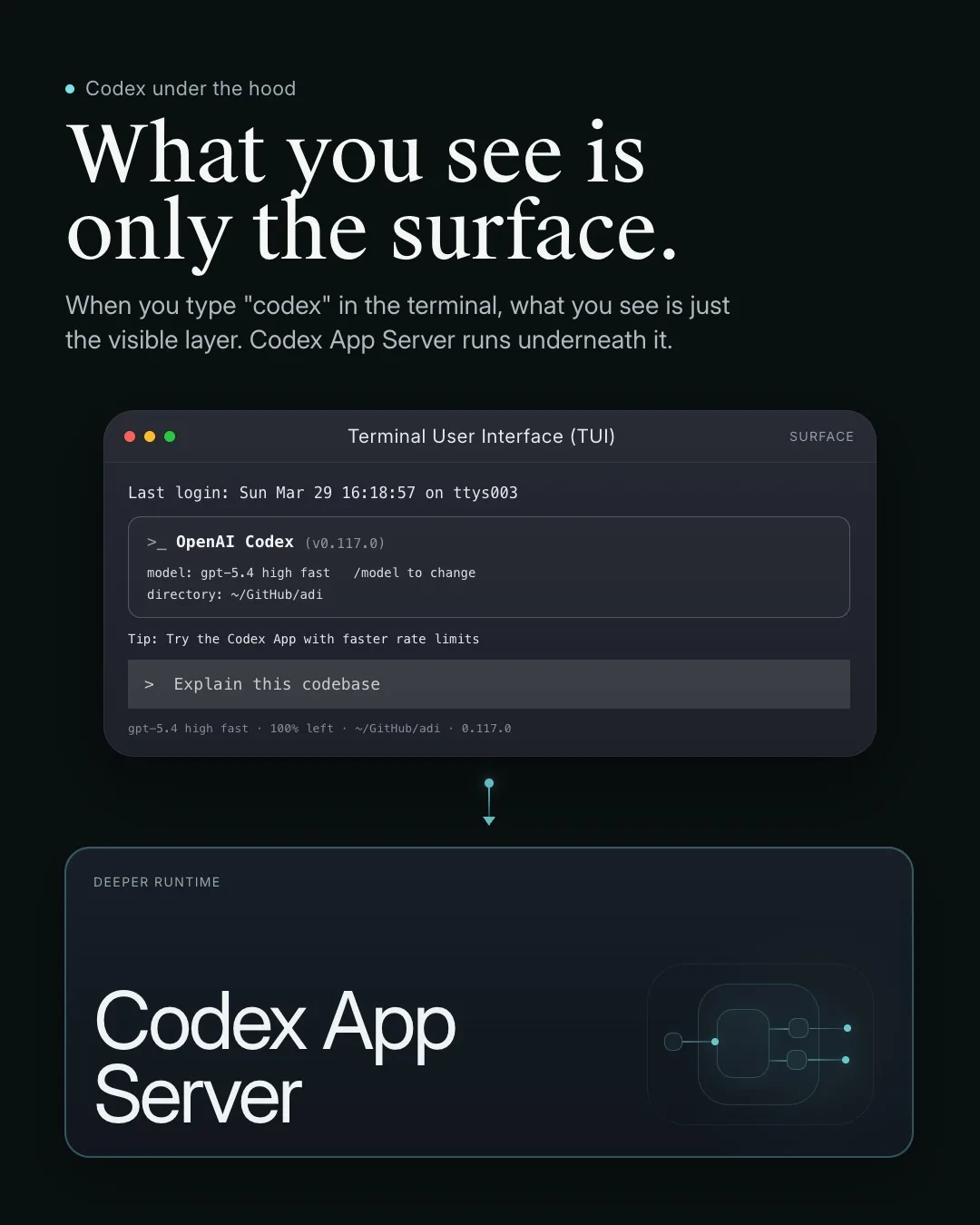 If you type
 codex in the terminal, what you see is only the client layer.
2. Many clients converge on the same layer
App Server sits underneath the CLI, desktop app, and IDE integrations.
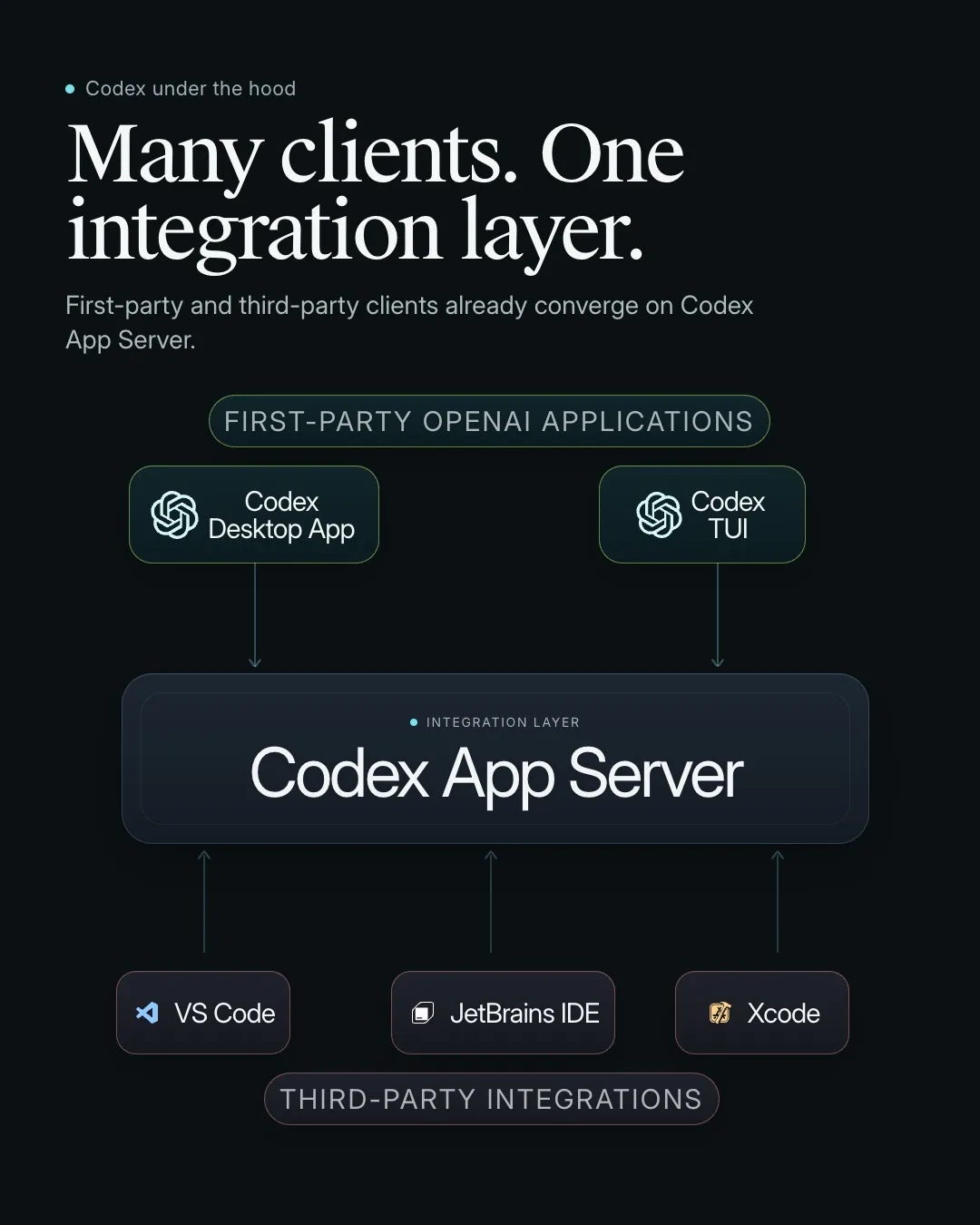 The CLI, desktop app, IDE integrations, and other clients can all sit on top of Codex App Server.
3. This is the integration path OpenAI recommends
If you want Codex in your own product, build against App Server.
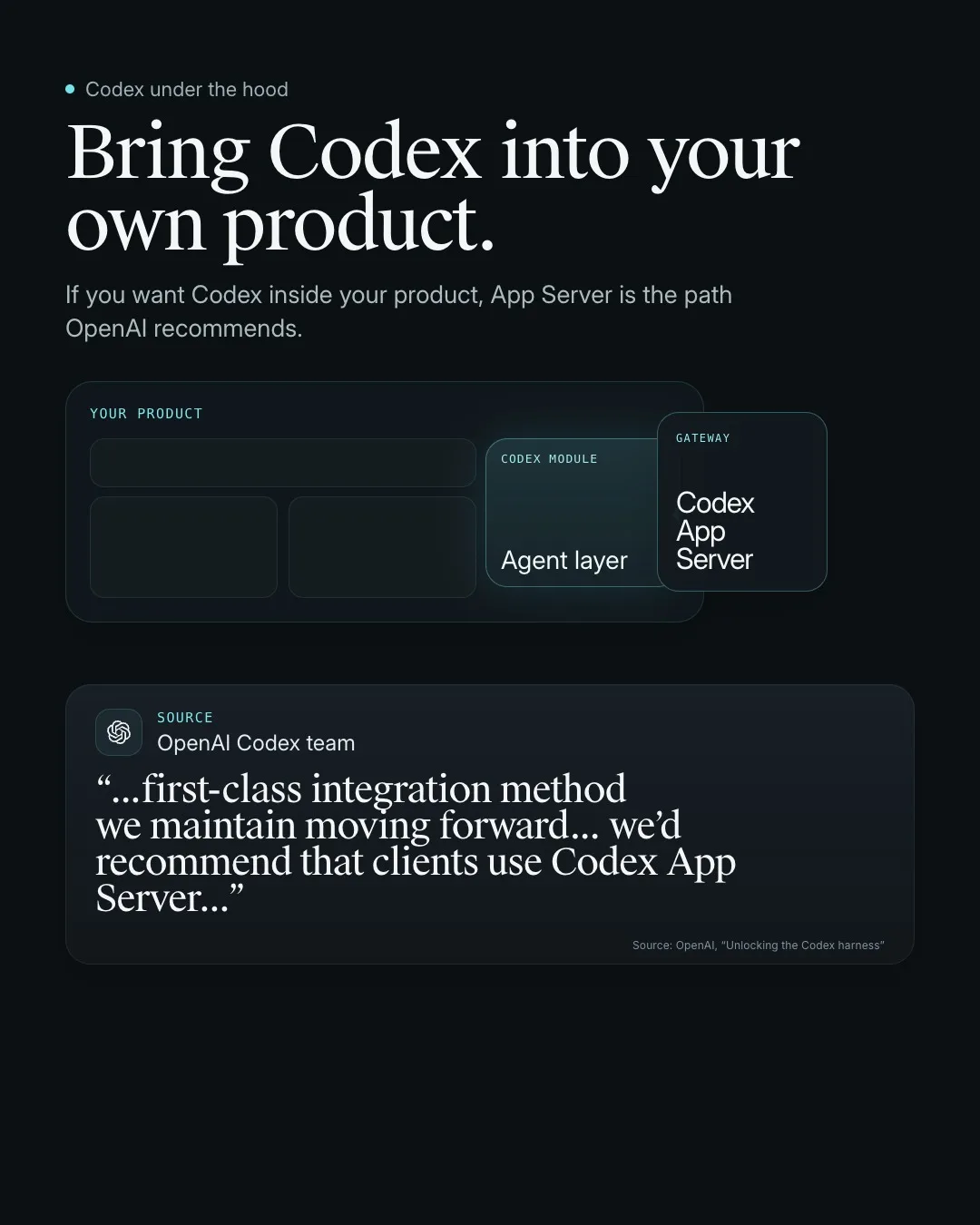 If you want deep integration, App Server is the main surface to build against.
4. The simplest setup is local
Client and App Server can live on the same machine and connect automatically.
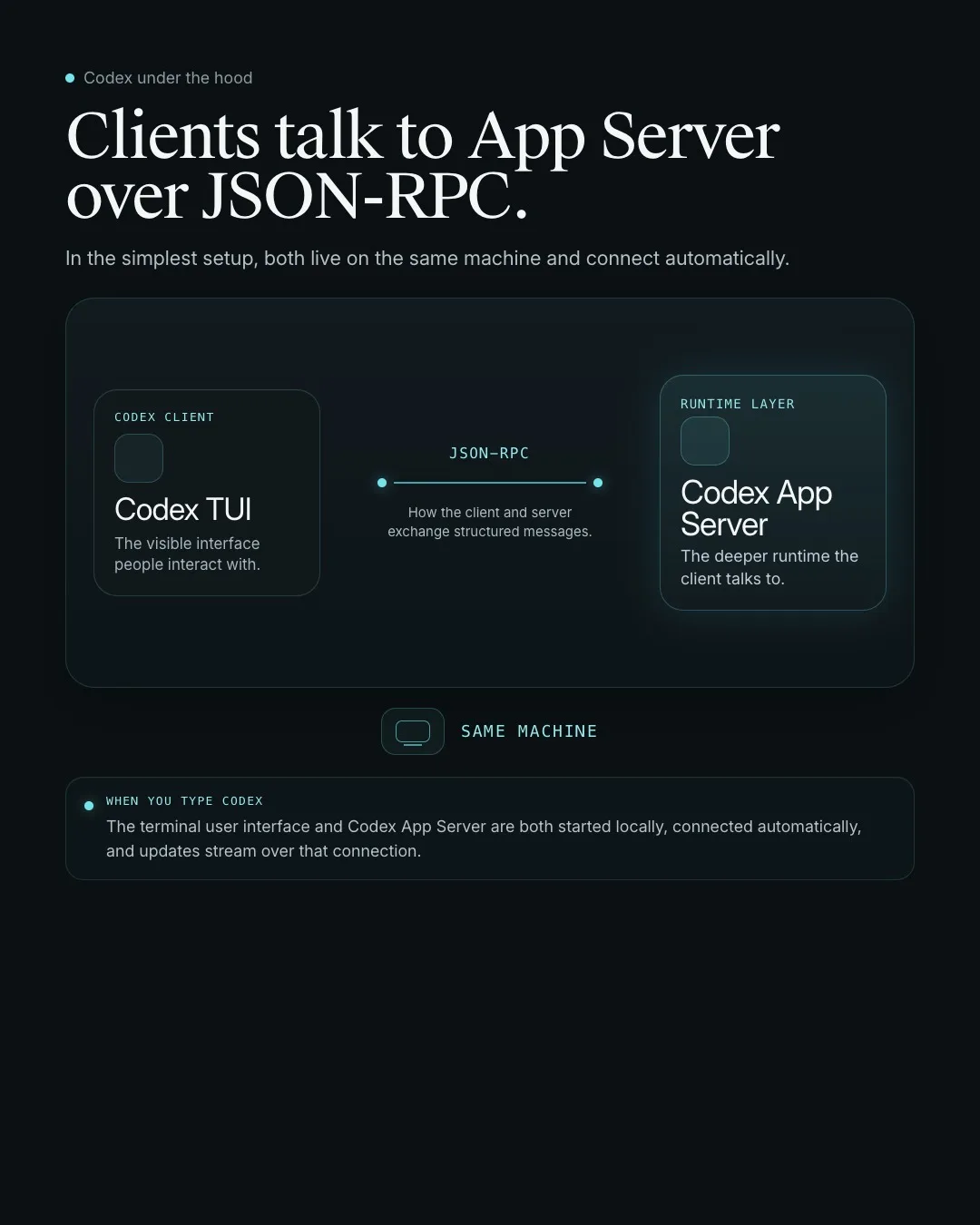 Client and App Server can live on the same machine and talk over JSON-RPC automatically.
5. The same client can also connect remotely
Keep the UI local and run the Codex runtime somewhere else.
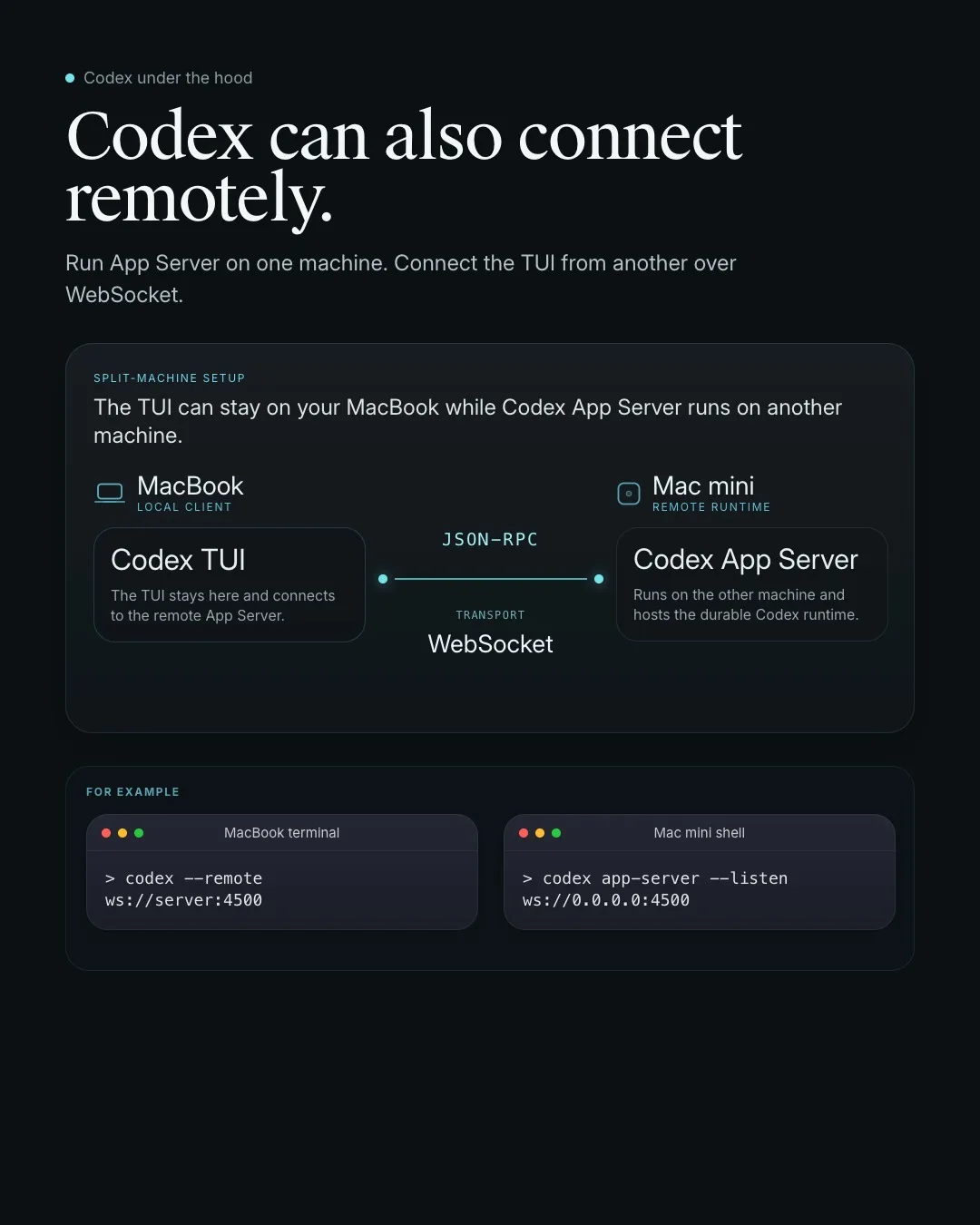 You can keep the UI local and run the Codex runtime somewhere else.
6. A rich client gets more than one model reply
Threads, auth, approvals, tools, streaming, and runtime state all come with it.
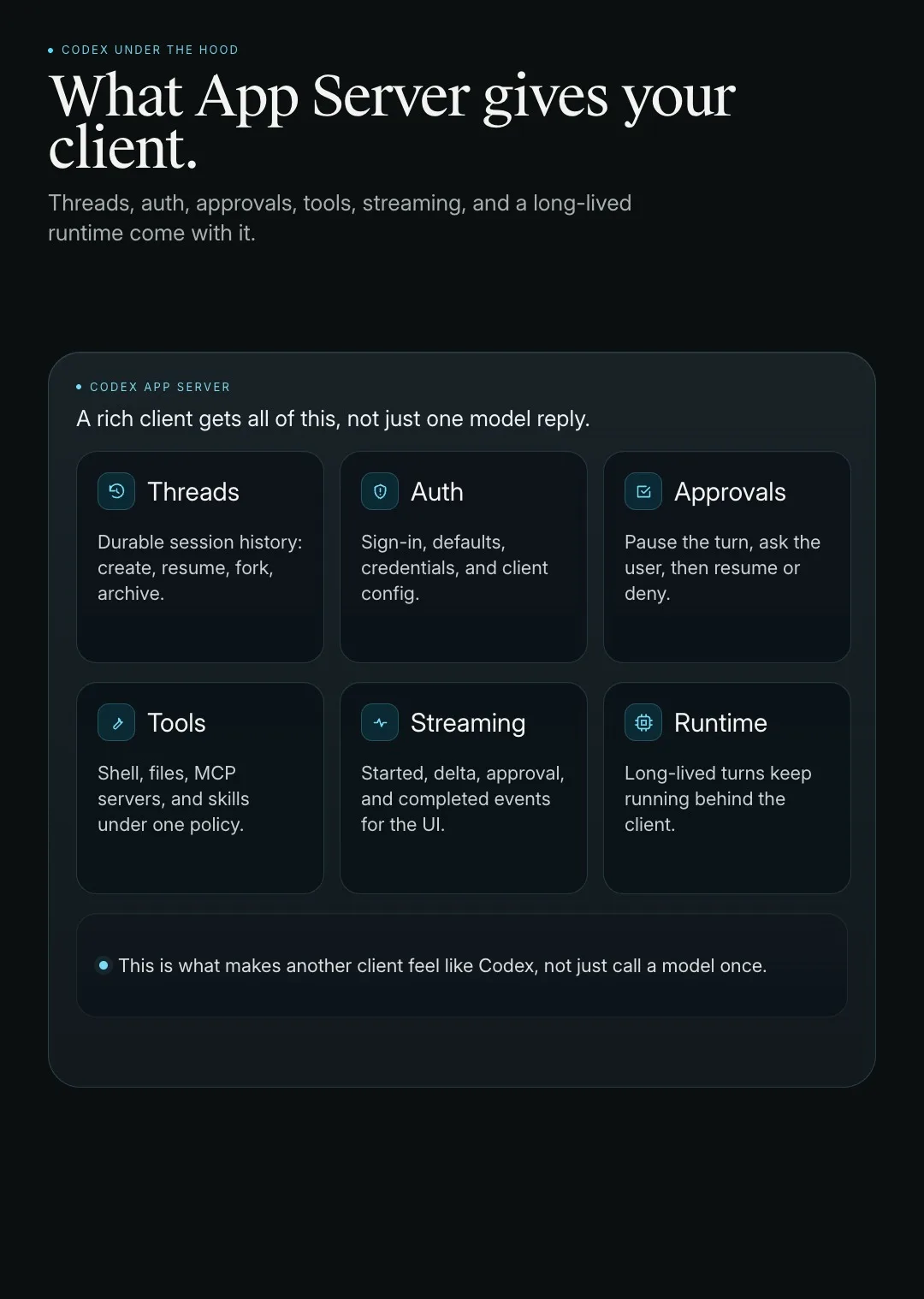 Threads, auth, approvals, tools, streaming, and a long-lived runtime all come with it.
7. One client action becomes many updates
A good UI renders a stream, not one final blob.
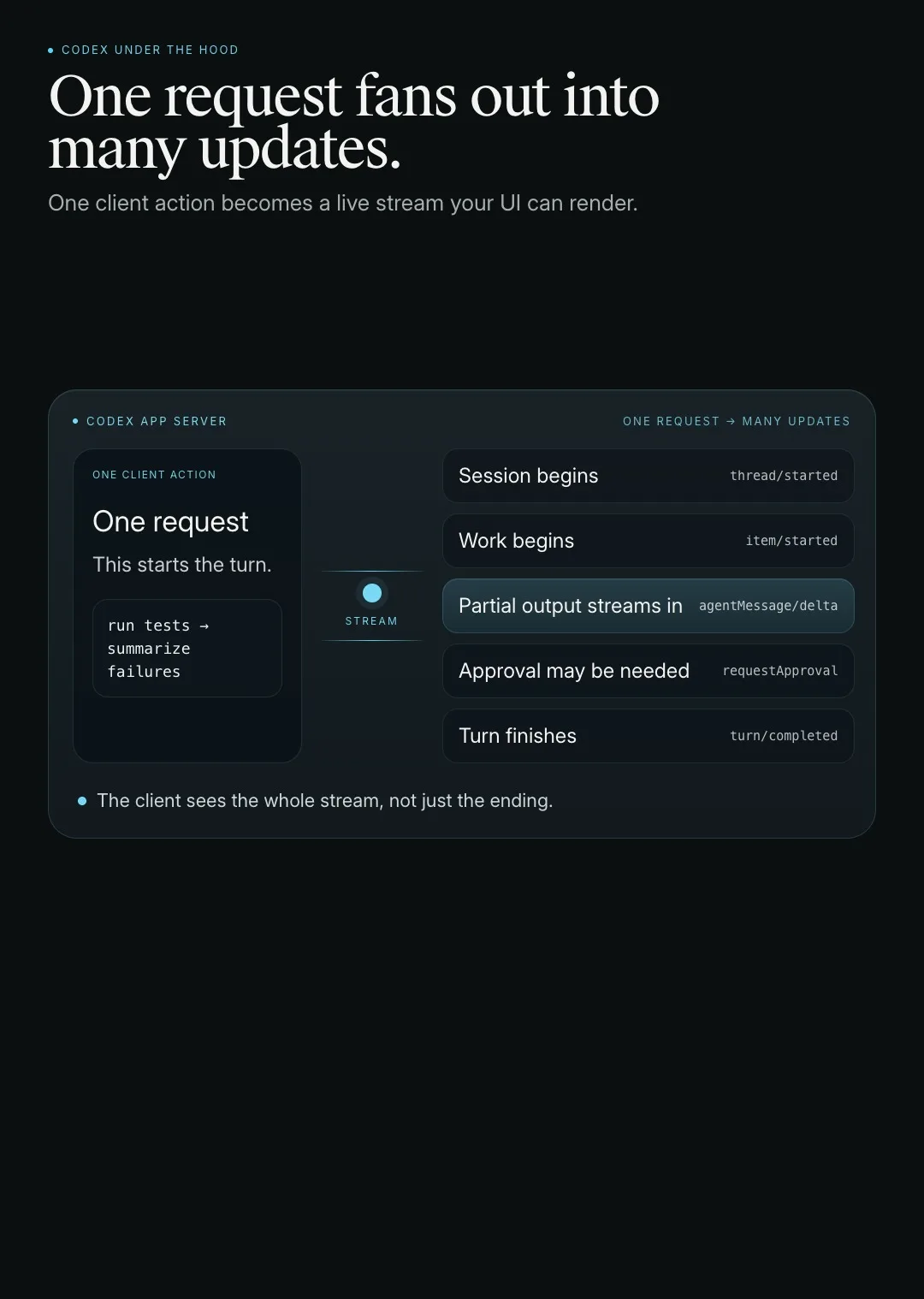 One action fans out into a stream of updates your UI can render as the work unfolds.
8. That stream is organized as thread, turn, and item
These are the primitives underneath the whole interaction.
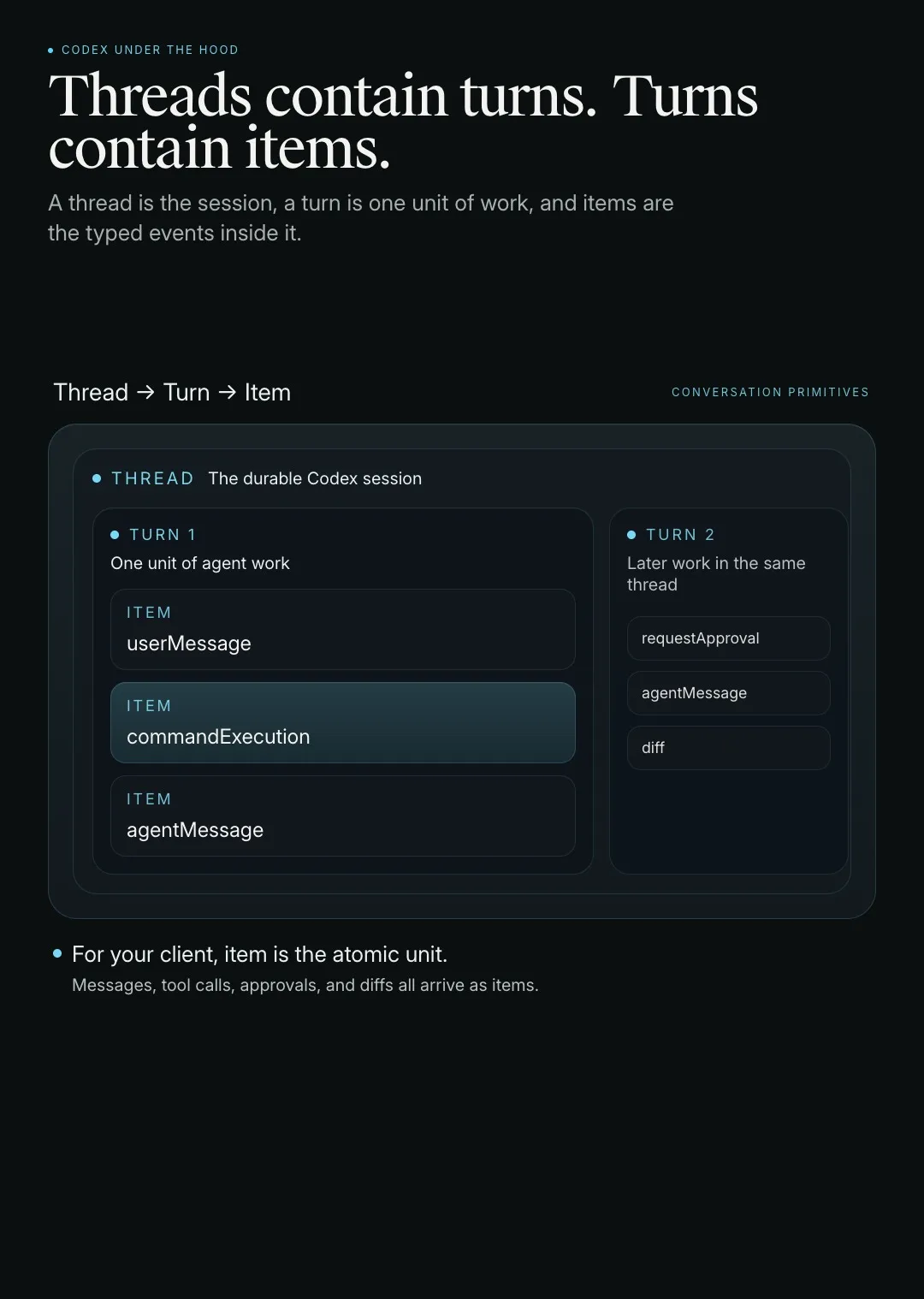 A thread is the session, a turn is one unit of work, and items are the typed things your client consumes.
What became clear to me is that App Server is not just some internal wire protocol. It feels like the abstraction OpenAI itself is standardizing around. If you want to build on top of Codex seriously, or bring agentic intelligence into your own products, this is probably the layer to understand and build against. It feels like one of the cleanest ways to bring that capability into your own tools.